For compliance, you may need to purge a customer record from your database. Complete the following steps to permanently remove a customer and all of their identifying information from your database.
THERE IS NO UNDO
1. Check the customer record for any active contracts (like a membership or upcoming booking) and Terminate any as needed.
You can leave any Concluded/Terminated Contracts as-is. There will be no identifying information on these contracts once the following steps are complete
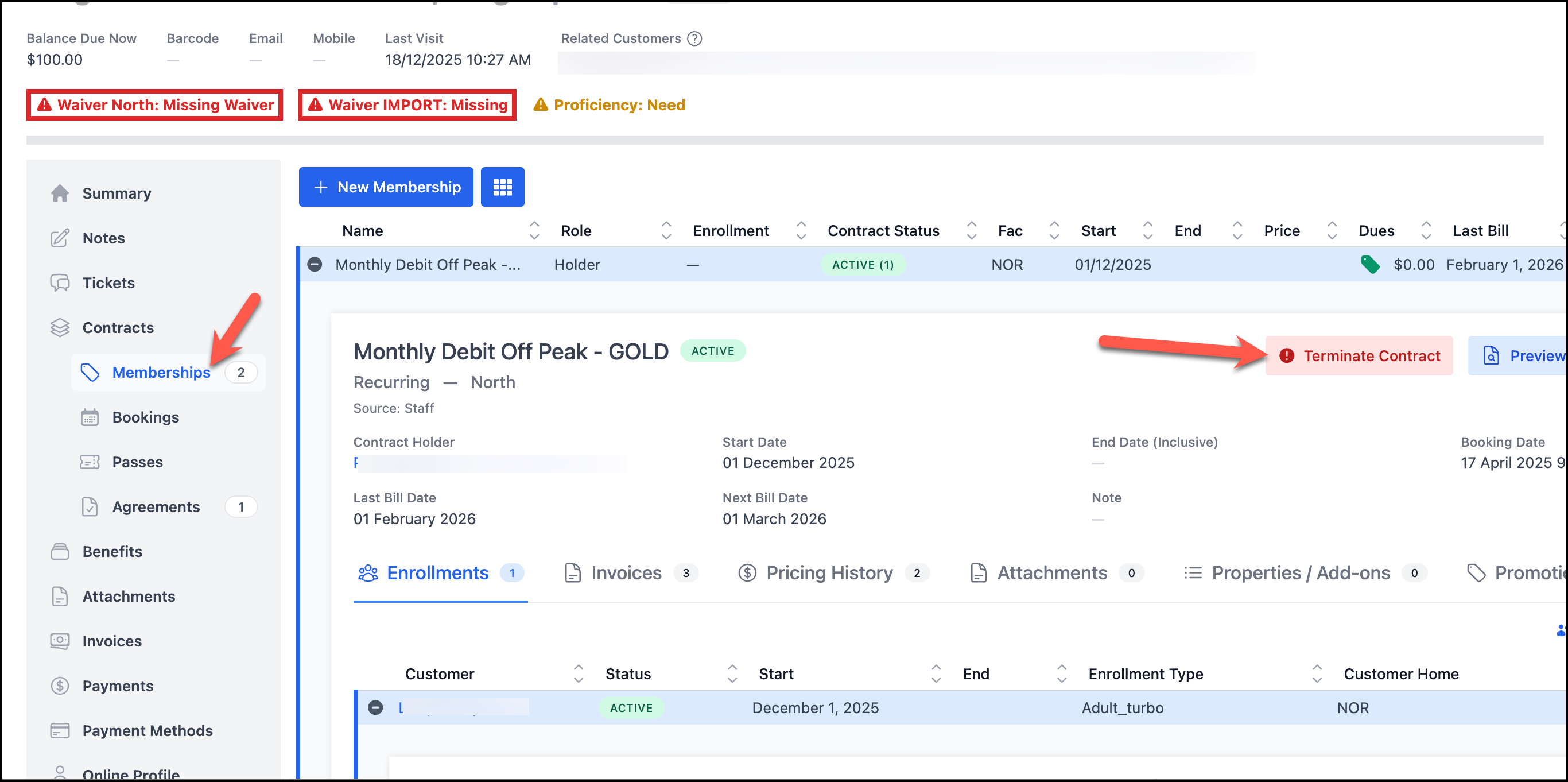
You can leave any Concluded/Terminated Contracts as-is. There will be no identifying information on these contracts once the following steps are complete
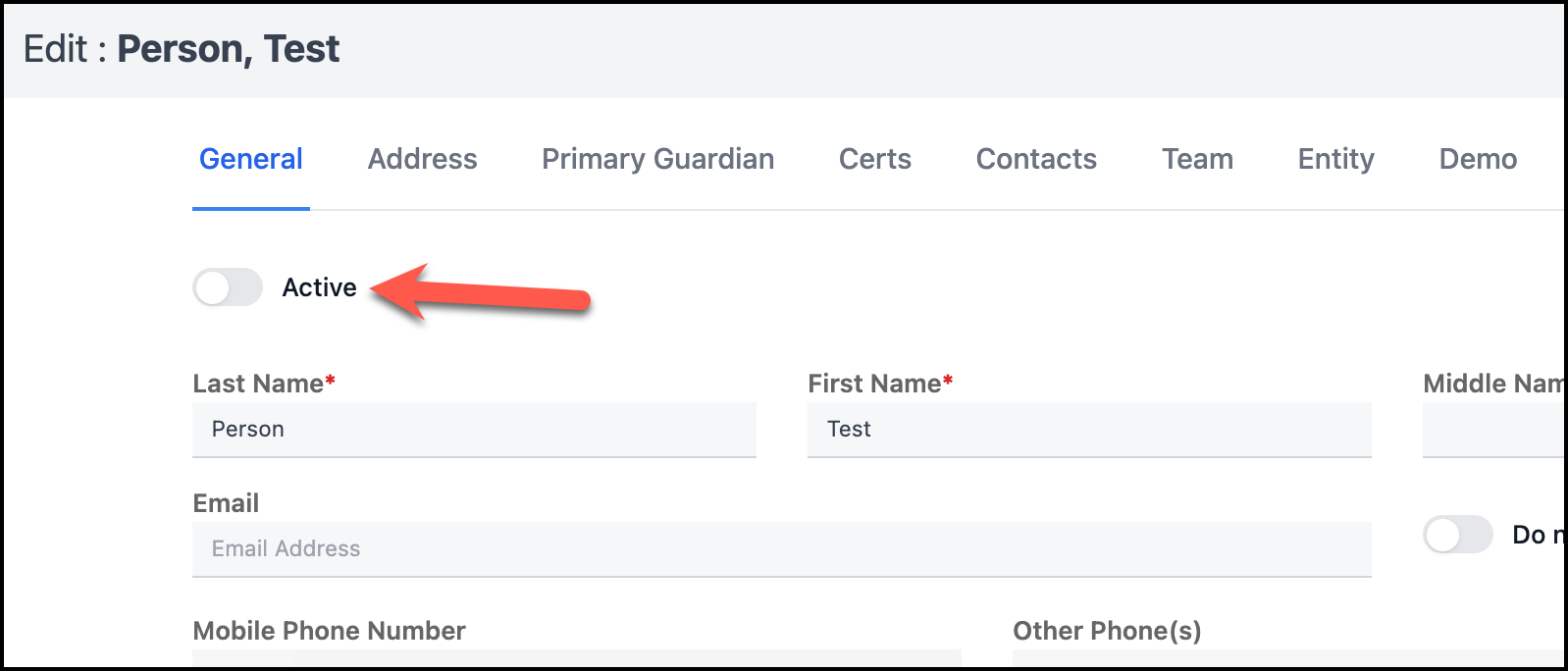
2. Edit the Customer Record, and mark the customer Record inactive (edit at top center of customer record, flip active toggle off). Click OK to save.
3. In the 3 dot 'More' menu at the top of the customer record select Purge Customer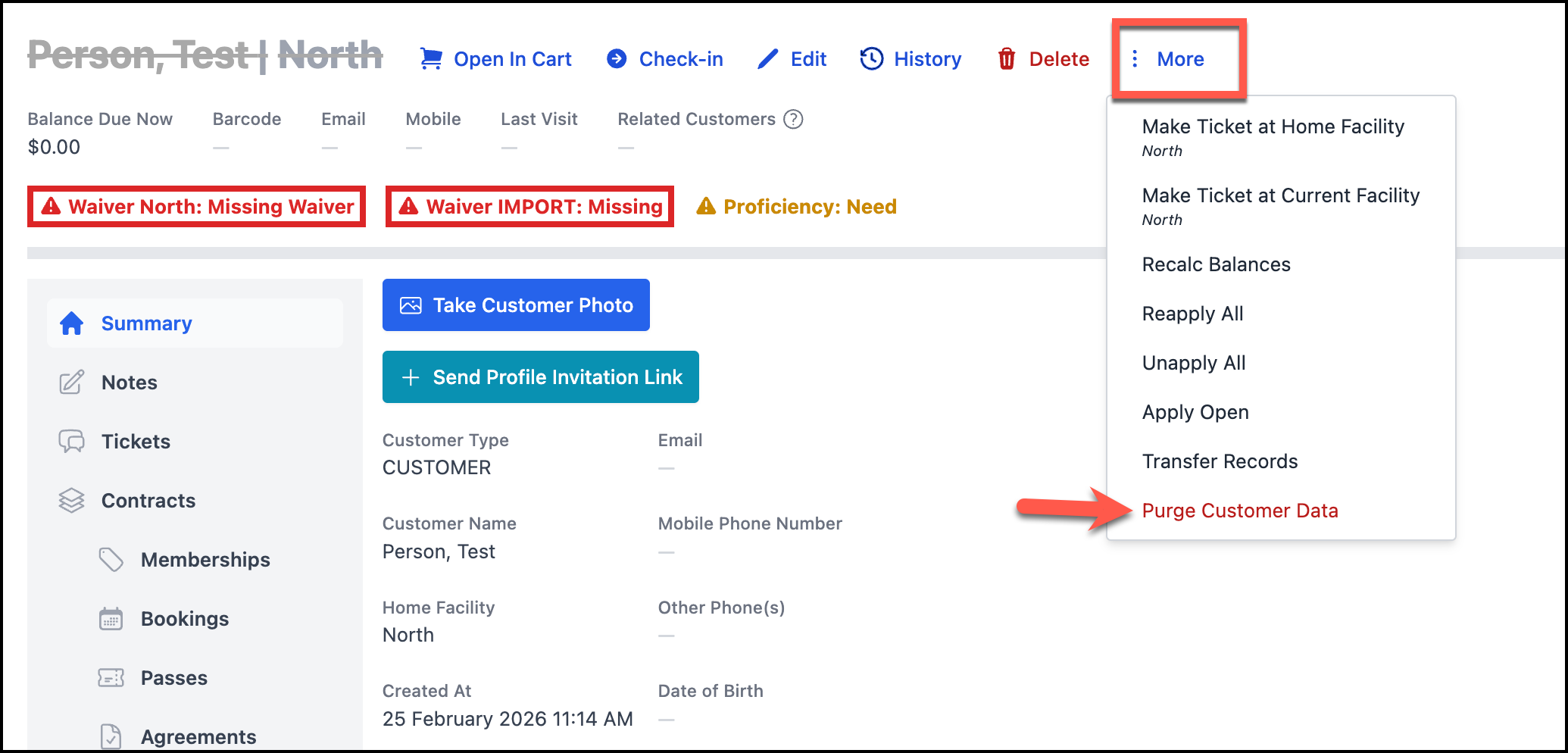
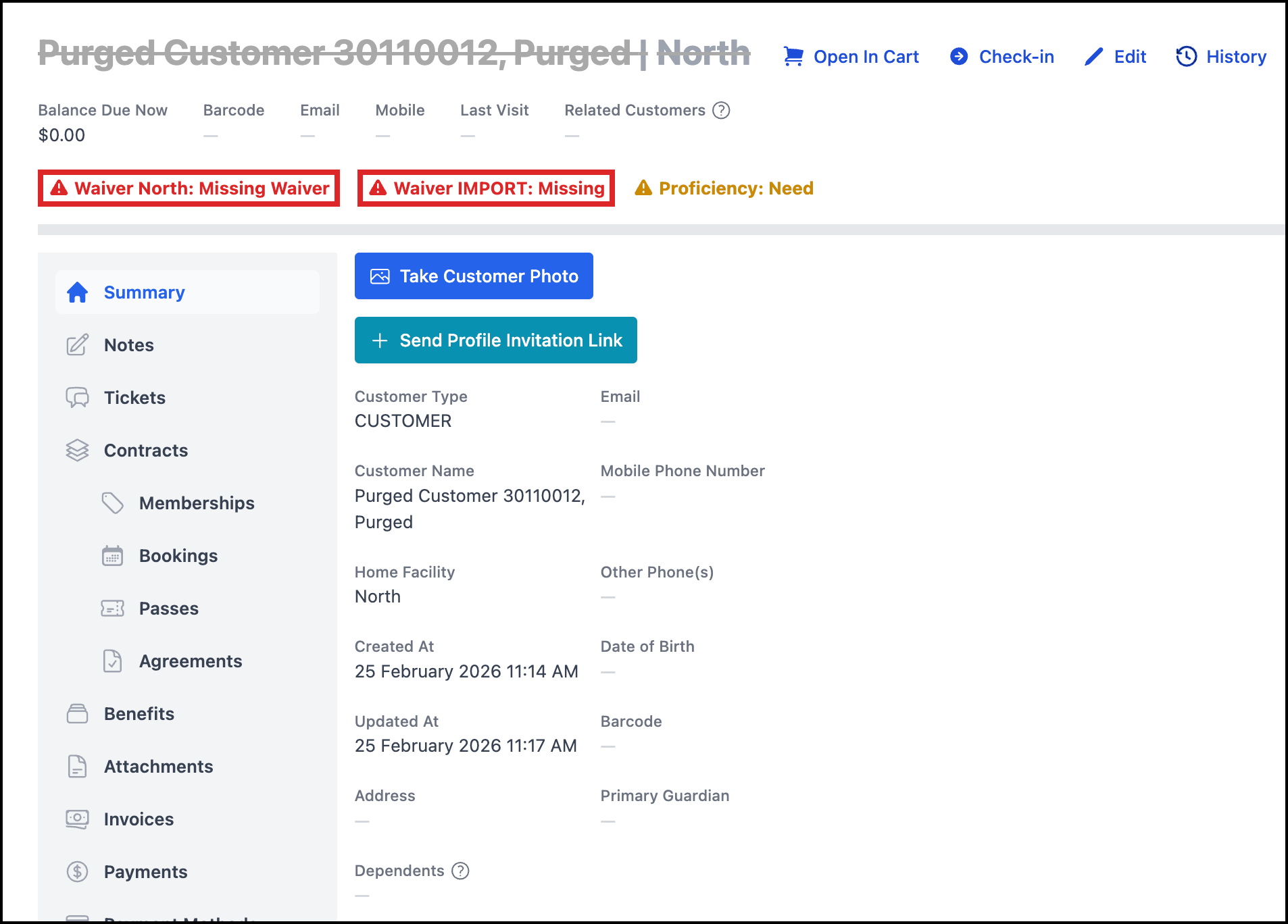
The customer name will changed to this Purged Customer name everywhere - on any concluded/terminated contracts they were on, invoices, etc - and all their contact and personal info is purged from the customer record.
4. At this point, the last bit of personal info remaining in the system is on any PDF attachments (waiver, membership contract, etc).
If needed, you can delete these too.
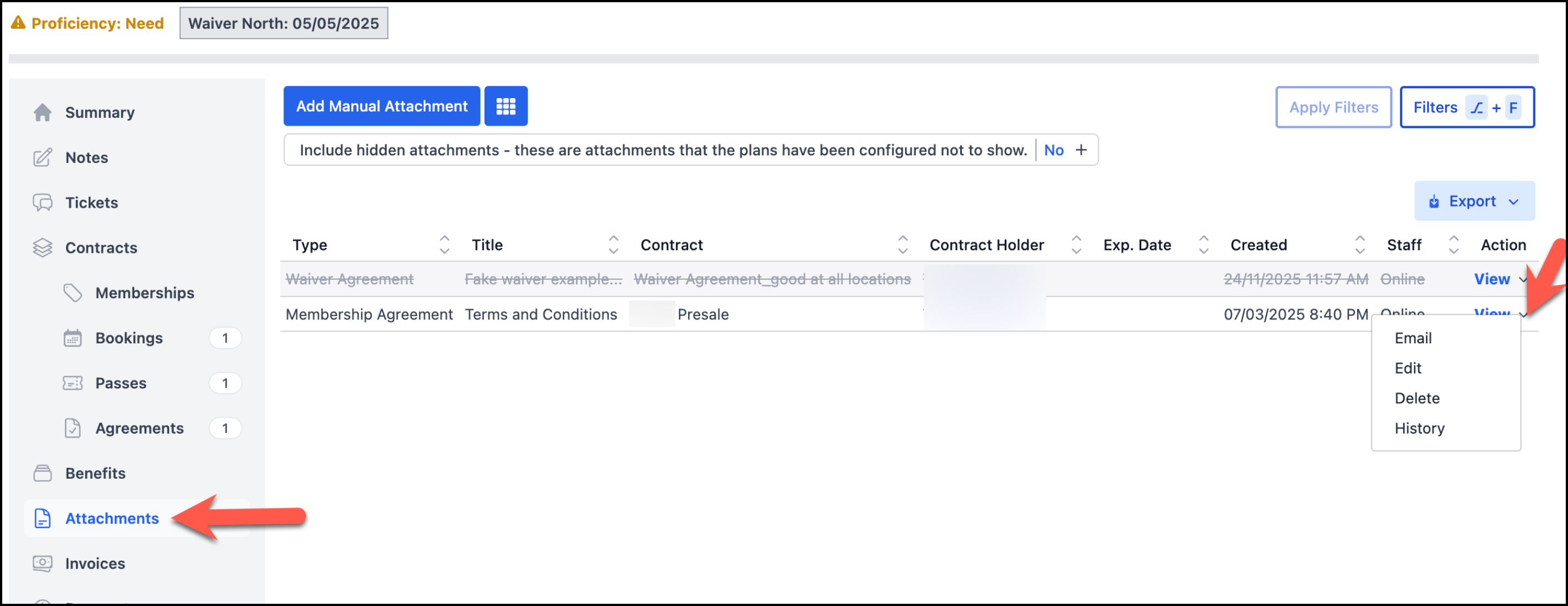
Go to the customer's Attachments tab and use the arrow menu next to View to delete.
The customer name will changed to this Purged Customer name everywhere - on any concluded/terminated contracts they were on, invoices, etc - and all their contact and personal info is purged from the customer record.
4. At this point, the last bit of personal info remaining in the system is on any PDF attachments (waiver, membership contract, etc).
If needed, you can delete these too.
Go to the customer's Attachments tab and use the arrow menu next to View to delete.
Related to